
You can send annotated views to other users.

Note: The user sending the annotated view has to be a publisher in the meeting.

-
Click the Annotated Views icon
 . The
Annotated Views
dialog box appears.
. The
Annotated Views
dialog box appears.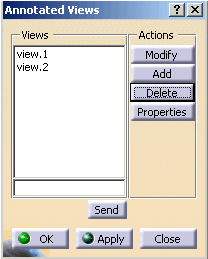
-
Select an annotated view from the list.
-
Click OK or Apply button to share the annotated view.
Note: Only one Annotated view can be selected at a time.
