
You can publish viewpoints to share them with other users.

-
Click the Viewpoint and Highlight Sharing
 button.
The Viewpoint and Highlight
Sharing
dialog box appears.
button.
The Viewpoint and Highlight
Sharing
dialog box appears.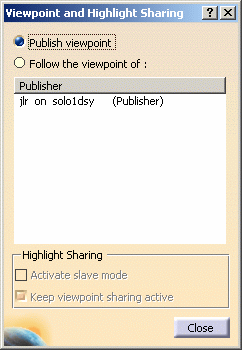
-
Click the Publish viewpoint radio button.
-
Click OK to confirm. You are now a publisher of viewpoints.
The other users that have declared themselves as listeners and have chosen you as the publisher to whom they are listening will now see the viewpoint that you've published. Any modifications you make to your viewpoint will be immediately visible on the screens of those listeners.
Note: If the publisher makes any changes (Graphic Properties, Measuring, Sectioning, etc.) to the assembly during the meeting, the listener will not be able to see them. Only the viewpoint is shared with the other users.
