
You can join a collaboration meeting to which you've been
invited. You can also join meetings that are already in progress, unless
the chosen meeting has been protected with a password, in which case the
password must have been communicated to you by the creator of the meeting
in order for you to join.

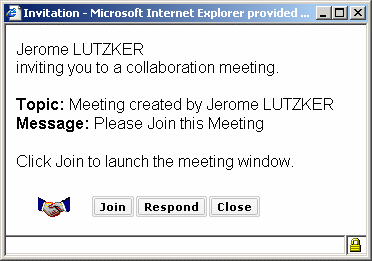 |

-
To join the meeting, press the Join button.
-
To respond to the invitation without joining, press the Respond button, type your message in the text-entry field and press the Send button.
-
To ignore the invitation, press the Close button.
When you join a meeting, the meeting interface will appear on your desktop. It will appear exactly as that of the meeting moderator, excepting the moderator icons.
