
Chat is a simple, efficient way to converse with another
person.

-
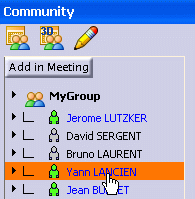
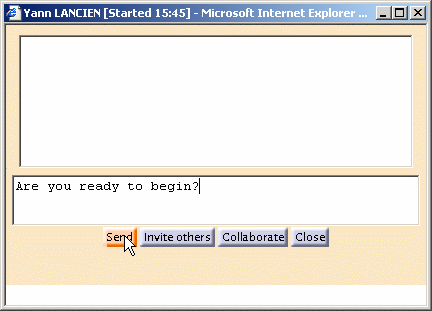
In the Community area, click the name of the user with whom you wish to chat. A dialog box appears identified by the user's name.
You will use this dialog box to send messages to this user and to receive his / her responses.
-
To send a message, in the lower text-entry field of the Chat dialog box, enter the text of your message and press the Send button.
The message will now appear, in blue, in the upper text-entry field of the Chat dialog box (the blue indicates that it is a message that you have sent). The status bar will now indicate that you are awaiting a response. -
The other user sends you a message as in step 2 above.
This message will now appear, in black, in the upper text-entry field (the black indicates that it is a message that you have received).
