
You can check availability of other people. This enables
you to immediately see who is available for communication exchange (chats
or collaboration meetings).

-
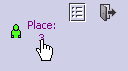
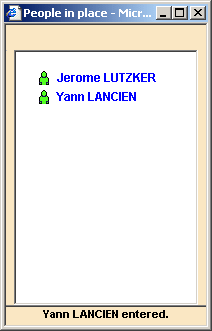
At the upper-right corner of user interface, click the Place hyperlink. A dialog box appears with the name of every person who is currently connected.
An icon appears next to each name indicating that person's availability status.

Note: It is possible for people in your Contact List to appear to be connected (green man icon) and they are indeed connected to Sametime, but not necessarily via the Modular 3d com. The number of people indicated in People in Place only takes into account those that are currently connected to the Modular 3d com Community.
