
You can use the search to build a list of contacts. From this non-persistent list, you can:
- build personal groups
- choose the people you wish to add to invite to a collaboration meeting

-
In the Portal banner, click the Source selection button and choose Collaboration from the proposed list.
-
In the Portal banner, click the Type selection button and choose People from the proposed list.
-
In the Portal banner, in the search text-entry field, enter the search criteria (the character "*" can be used as a wildcard).
-
Click the Search button.
An Search Results page appears containing the results of the defined query.
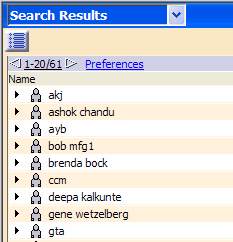
-
To add people from the results list to your contact list, select the people, right-click choose Add in contact list in group from in the contextual menu and choose the group in which you wish to add the people from the proposed list of personal groups.
The selected people are added to the designated group in the Community.
Note: The standard multi-selection capabilities are available, however the multi-selection is limited to the current page. -
To edit your contact list, in the Community area, click the Edit
 button.
The Edit contact list dialog box appears.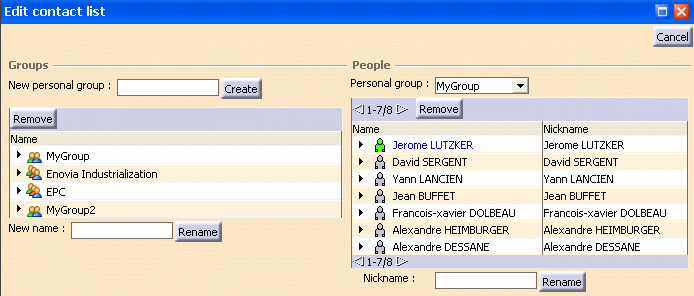
-
To remove people from your contact list, in the People area, select the group in the Personal group drop down list.
-
From the contact list, select people to be removed from the list, right-click and select Remove in the contextual menu.
-
To modify the Nickname of a given person in the contact list, in the People area, select the person, enter the new Nickname in the Nickname text-entry field and click the Rename button.
