
When you log onto Instant Collaboration, you declare your
availability status so that other users can eventually interact with you if
they so desire.

By default, your availability status when you log on will
be I'm Active.

-
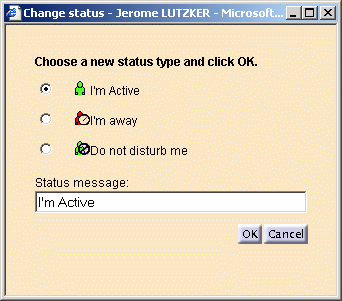
In the Community area, click your user. The Change Status dialog box appears.
-
Select your current status from among the proposed possibilities:
I'm active
I'm away
Do not disturb
-
Enter a status message in the Status message text entry-field if you wish to be more explicit than the proposed default message.
-
Click OK to confirm.
