|
|
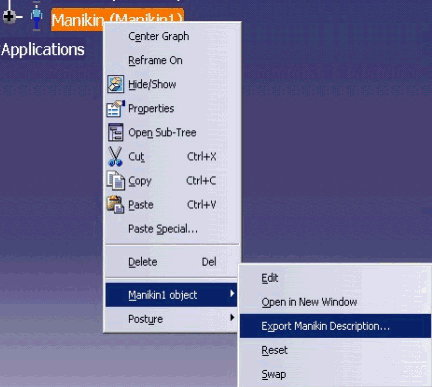
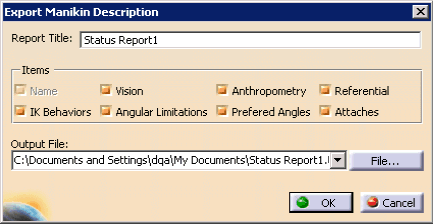
The Export Manikin Description dialog allows you to select the items to set in the status report, by default all the items options are checked; The Name item can’t be unchecked because it contains the minimal information about a manikin. |
|
|
You specify the output file name, the
directory and the file format for the report. This item will also be available when selecting a forearm model manikin, but an error message will be displayed indicating that a forearm cannot be used with this command. |
|
|
|