
This task shows you how to mirror geometrical elements and some FreeStyle analysis.

- Isophote mapping analysis,
- Single Light Band analysis,
- Draft analysis,
- Environment analysis.

Open the FreeStyle_Part_25.CATPart document.
-
Apply isophotes on a surface using the Isophotes Mapping Analysis
 command.

-
Click Mirror Analysis
 .
.
The Mirror Analysis dialog box is displayed.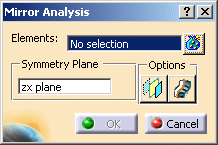
- Elements: Selects the elements and analysis to be
mirrored.
You can select the part node. All valid elements under it are selected and listed in the field. - Symmetry Plane: Selects the plane about which mirror will
take place.
By default zx plane is selected. Using the contextual menu you can change the plane:
Create Plane
XY Plane
YZ Plane
ZX Plane - Options: Two options are available:
- Display plane
 : Displays the mirror plane.
 - Display mirror tags
 : Displays the mirrored elements and
analysis in the predefined color as set in Tools >
Options > Shape > FreeStyle > General tab, Mirror
analysis options area, Feedback color.
: Displays the mirrored elements and
analysis in the predefined color as set in Tools >
Options > Shape > FreeStyle > General tab, Mirror
analysis options area, Feedback color.
By default, gray color is selected.
- Display plane
- Elements: Selects the elements and analysis to be
mirrored.
-
Select the elements and analysis to be mirrored.
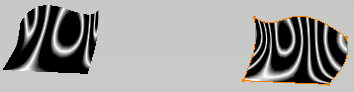
-
Select the mirror plane.
-
Click Display plane
.
The mirrored elements are displayed along with analysis.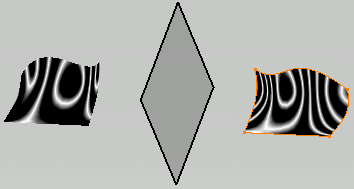
-
Click Display mirror tags
.
The mirrored elements are displayed along with analysis in the default feedback color.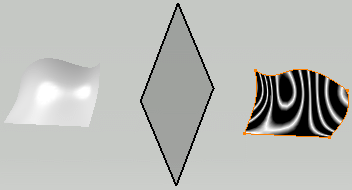
-
Click OK.
The Mirror Analysis.X is added to specification tree. -
Change the default color to brown in Tools > Options dialog box.
-
To update the graphical properties, right-click Mirror Analysis.X and select Mirror Analysis.X object > Update graphical properties.
The mirrored elements are displayed in brown color.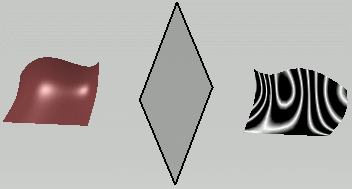

- If only a surface is selected and the mapping analysis applied on it is not selected, then only the surface is mirrored without taking into account the mapping analysis applied on it.
- If a mapping analysis is selected, then analysis and the surface both are mirrored.
- If a surface with rendering material is selected, the rendering material will be mirrored only if the material is directly set on the surface or the part. The surface is always mirrored.
- For any graphical change to be updated on mirrored part, use the Update graphical properties contextual menu command.
- The distance and global freestyle analyses are not supported as input for mirroring.
