
This task shows you how to open one or more VPM Navigator windows containing the objects you have selected.
-
Right-click a Product or a Part instance in a search result window and select the Send to VPM Navigator
 command in the contextual menu: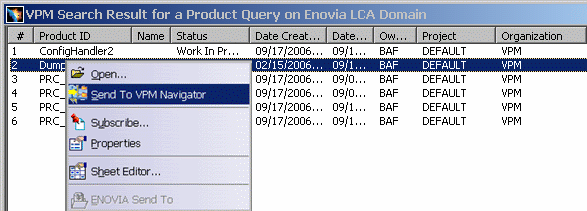
You can also open a Product in a VPM Navigator window just by double-clicking it in a search result window.
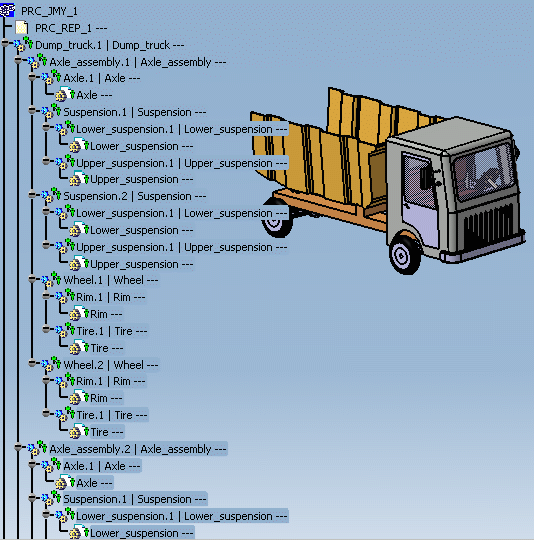
The selected Product is displayed in a VPM Navigator window:
-
If, from this window, you want to open another VPM Navigator window, just right-click the data to be sent to the new window and select the Send to New VPM Navigator
command in the contextual menu: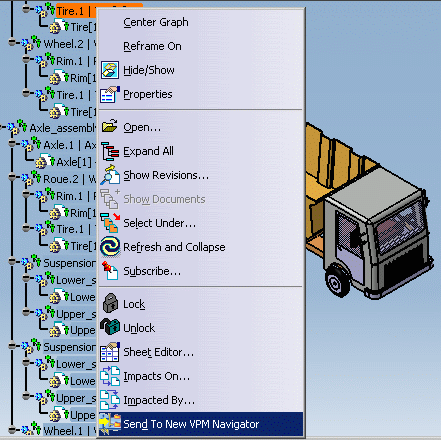
You cannot open more than two VPM Navigator windows in this way.

-
If you send one instance of a Part to VPM Navigator, you in fact send all the Part's instances along with their different effectivities to VPM Navigator.
-
GCO's are displayed in a new VPM Navigator window along with its PRC and all its children collapsed. (Send to New VPM Navigator command is available for GCO's selected from the VPM Navigator tree, not from any other workbenches).
-
This functionality does not support document revisions or technological packages.
