
An Engineering Requirement is considered:
- Fully Implemented if it is assigned to at least one process with a Complete assignment type.
- Partially Implemented if it is assigned to one or more processes with a Partial assignment type, and has never been assigned to any process with a Complete assignment type.
- Unimplemented if it is not assigned to any process in the database.

Reconciling Engineering Requirements
-
Select the part in the PPR tree that contains the Engineering Requirements to be reconciled.
-
Click Reconcile Engineering Requirement
 .
. -
The results of the Reconcile Engineering Requirement are displayed in the Reconciliation Report dialog box:
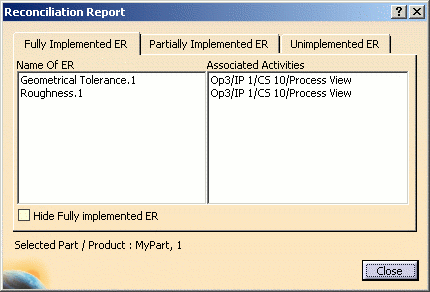
The Fully Implemented ER tab page lists the name of each fully implemented ER, and the Associated Activities list displays the path of the process to which each ER is associated.
The Hide Fully implemented ER check box is only available in the Fully Implemented ER tab page. When enabled, this option hides all Fully Consumed ERs.
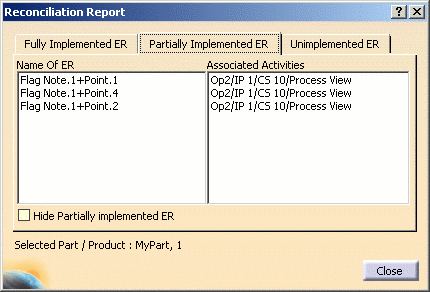
Click the Partially Implemented ER tab page to see similar information for partially implemented ERs:
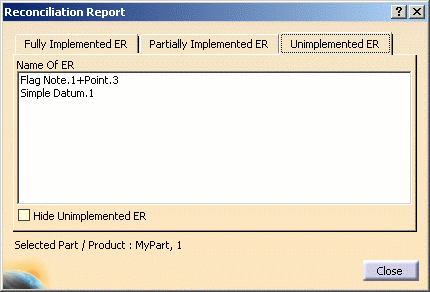
Click the Unimplemented ER tab page to see similar information for unimplemented ERs:
-
If all of the Engineering Requirements inside a part are completely consumed, a message prompts you to set the All ER Consumed attribute on the part to TRUE.
If Engineering Requirements inside a part are not consumed, then an informational message is provided and the All ER Implemented attribute on the part will automatically be set to FALSE.
