


 from the Dressup toolbar (Axis and Threads sub-toolbar).
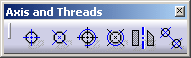
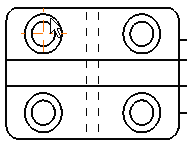
Center lines are automatically applied to the circle
.
 |
|

|
|
This task will show you how to apply a pair of center lines to a circle or an ellipse. | |||
|
|
Open the Brackets_views06.CATDrawing document. | |||
|
|
1. Click the Center
Line icon
from the Dressup toolbar (Axis and Threads sub-toolbar). |
|||
| 2. Select a circle.
Center lines are automatically applied to the circle |
||||
| 3. Click in the drawing to confirm the creation and select the center lines. | ||||
| 4. Use manipulators to modify center lines size. | ||||
|
||||
|
|
||||