|
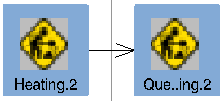
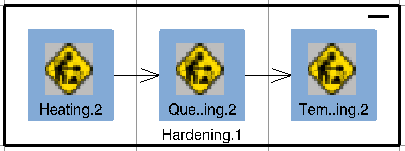
While links between activities define the product flow and can be visualized with a PERT chart, precedence constraints define the activity flow and can be visualized with the Precedent Viewer. The Precedent Viewer relies on the same visualization features as the PERT chart and most of the options you set for the PERT Chart in Tools > Options > Digital Process for Manufacturing > PERT Chart (e.g., straight or orthogonal links) apply to the Precedent Viewer. Note that the PERT and Precedent Viewers are separate viewers; for the same process, node positions and expanded states can differ within each viewer. Precedence constraints between activities can be deleted within Precedent Viewer. Right-click on the precedent constraint (i.e., the arrow between the two activities) and select Delete Constraint. If more than one precedence constraint is selected, the command Delete Constraint entry in the context menu is also deactivated.
Link Activities
|
|||||||||
|
|
Open the Precedent Viewer |
|||||||||
|
||||||||||
About Precedence Constraints and Hidden Child Activites |
||||||||||
|
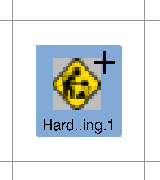
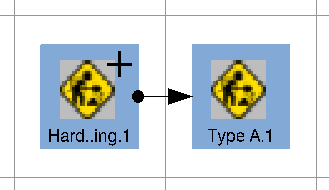
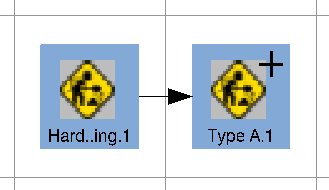
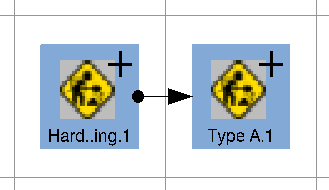
Because child activities can be hidden, symbols are used to indicate when one or more children of a particular node have precedence constraints on another activity:
|
 and Link
Child Activities
and Link
Child Activities
 are available in the PERT, Product Flow and normal 3D Viewer only. The
commands are disabled for all the viewers where control flows cannot be
viewed, such as the Precedent Viewer and AST Editor.
are available in the PERT, Product Flow and normal 3D Viewer only. The
commands are disabled for all the viewers where control flows cannot be
viewed, such as the Precedent Viewer and AST Editor.
 in the Data Views toolbar.