|
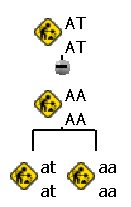
Attributes provide the means of enriching the information provided in the library.
Any attributes of a parent activity type are passed onto child activity
types when the child activity types are
created.
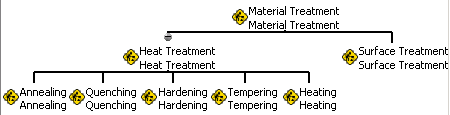
For example, if the Time at Temp. attribute is defined for the Heat Treatment
activity, then all Heat Treatment's child processes inherit that attribute. In the example below,
Quenching, as well as the other activity subtypes, inherits the attribute.
 |
 |
-
To create a new attribute (e.g., Time at Temp), select the activity
type on which the
attribute has to be added (e.g., Heat Treatment).
-
Click Add Attribute
 . .
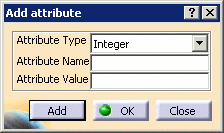
| The Add attribute dialog box appears: |
 |
-
Enter the attribute name in the Attribute Name field.
-
Choose the Attribute Type: Integers,
Double, and String.
-
Set the Attribute Value for the default attribute.
-
Click the Add button.
-
Create another attribute or click OK.
-
Save the process library using File> Save As.
|