Relationship Options
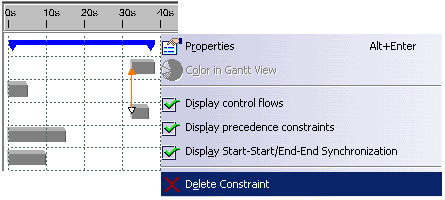
These relationships are identified in the Gantt Chart by an arrow. Relationships between processes can only be displayed via the context menu. Start or end times can be changed in the Gantt Chart. You can delete relationships in either the Gantt Chart or the Activity Synchronization dialog. The relationships for a process are displayed in the Activity Synchronization dialog.
Start-Start synchronization
If the Start-Start synchronization relationship exists between two or more processes, then they will all have the same start time. Changing one process start time will cause all processes to be synchronized and set for the same start time.
End-End synchronization
If the End-End synchronization relationship exists between two or more processes, then they will all have the same end time. Changing one process end time will cause all processes to be synchronized and set for the same end time.

Setting the Start Time for Processes
The start time of the process that was selected first, is always set for the start time when synchronizing processes.
-
In order to set the start time for processes, click Activity Synchronization
 in the Activity Management toolbar.
 -
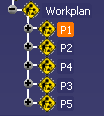
Select the first process in the tree. In the example it is the P1 process.
-
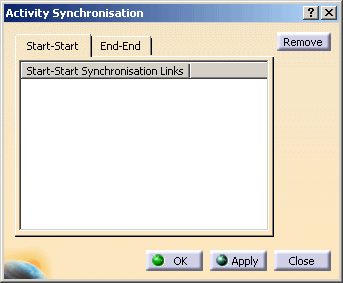
After the first selection, the Activity Synchronization dialog along with the Start-Start tab is opened and empty.
-
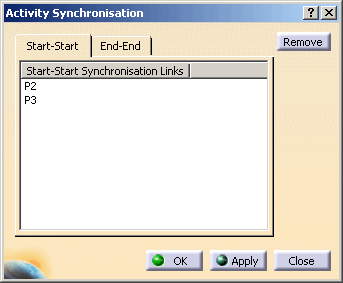
Select additional processes from the tree, that should be set for the same start time. In the example both the process P2 and P3 are set to the start time of the the process selected first, P1.
-
Click Ok for all processes to set to the same start time.
Displaying the Start times in the Gantt Chart
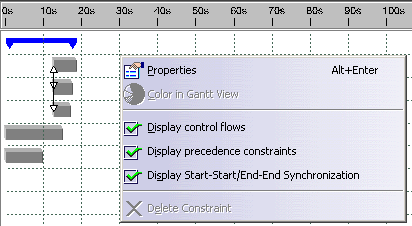
Open the Gantt Chart and select Display Start-Start/End-End Synchronization in the context menu. The relationships are identified by an arrow in the picture below. It is between the three processes P1, P2 and P3 in the example.
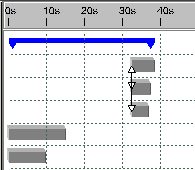
One change to a start time results in all the processes being set for that same start time – see the picture below.
Displaying Relationships in the Dialog
and then the process. The processes of the existing relationships are
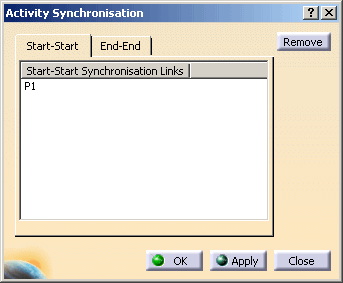
displayed in the dialog under the Start-Start or End-End tab.In the example, the dialog has been opened on the selected P2 process – see the picture below.
End-End synchronization
The procedure for setting the end time for processes is exactly the same as setting the start time, except that one must first select the End-End tab in the Activity Synchronization dialog. With one exception, the end time of the process selected first is used for the end time. The exception occurs when a maximum end time is set for one of the processes. In that case, the maximum end time is used for synchronising the processes, regardless of which process was selected first.
Deleting Relationships
You can delete the relationships in the Activity Synchronization dialog and in the Gantt Chart.
Deleting Relationships in the Dialog
Click Create Activity Synchronization
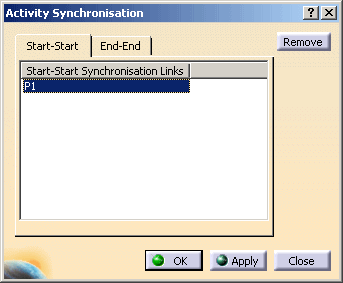
and then the process. To delete the relationships, select the
process in the dialog and then click on the Remove button.
Deleting Relationships in the Gantt Chart
In the Gantt Chart, open the context menu on the selected relationship (orange arrow). Select Delete Constraint from the context menu.