
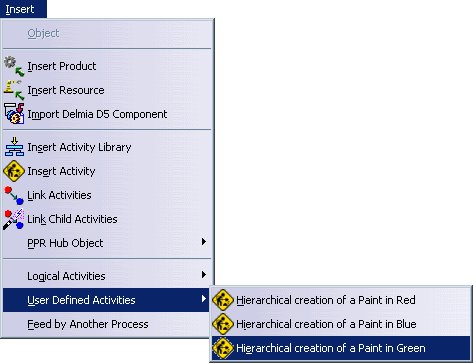
 |

Adding Another Library
Additional libraries can be added and used by the current CATProcess document, independent of the libraries that were selected as the default in Tools> Options> Digital Process for Manufacturing> Libraries.
This can be achieved by clicked Insert Activity Library
 from the
Activity Management toolbar, or selecting Insert>Insert Activity Library from the menu bar.
from the
Activity Management toolbar, or selecting Insert>Insert Activity Library from the menu bar.
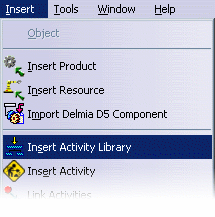 |
Selecting Add Process Library to Use invoke a File Open dialog which allows the user to navigate to the desired Process Library (.act) file:
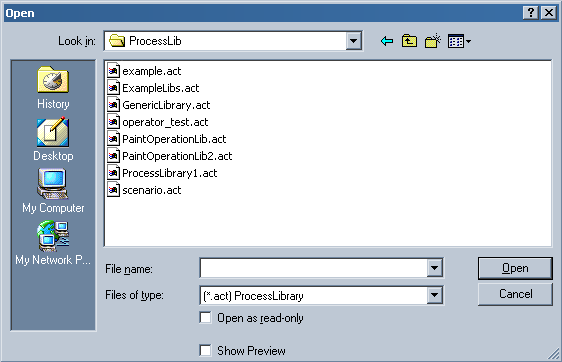 |
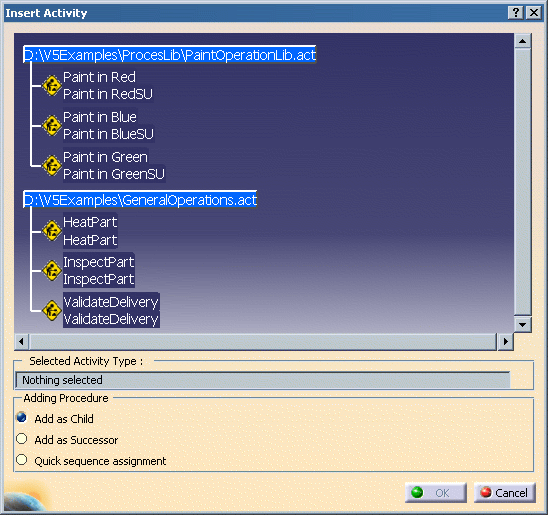
Once the new Process Library file has been selected, the activities that have been defined for it become immediately available to the current Process document:
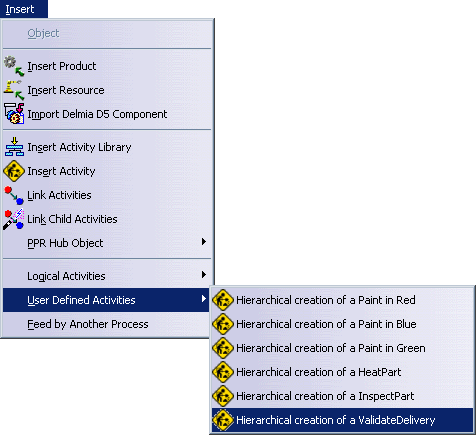 |
After using Add Process Library to Use, the new activities can be seen by selecting Insert> User Defined Activities (as above) or by using the Add Activity command (below).
 |
