

Open the PartingLine.CATPart from the samples directory.
Define mold areas on the shape where you are going to create the parting line.

-
Click Parting Line by Color
 in the Curves toolbar and select a Shape.
The Parting Line by Color dialog box is displayed:
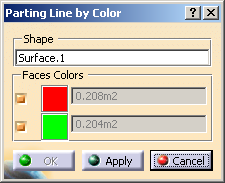
It contains the name of the shape you have selected.
The colors of the mold areas found are listed under Faces Colors.
The surface of each mold area is displayed for information.
By default, all colors (i.e. all mold areas) are selected. -
To select the mold areas you want to take into account to create the parting line, clear or select the corresponding check boxes.
-
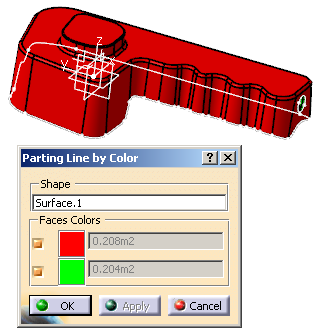
Click Apply.
The boundary of each selected colored mold area is computed.
-
Click OK to validate and exit the dialog box.
The parting line is created:- Joins are created in the active geometrical set.
- Each join is composed of the edges of the corresponding boundary.
