


-
In the Catalog tree, select the chapters to be synchronized.
-
In the Data toolbar, click the Synchronize Chapters
 .
.
The Synchronize Chapters dialog box appears. -
Click the Synchronize button.
The selected chapters are synchronized.
The results of the synchronization appear in the Synchronization report.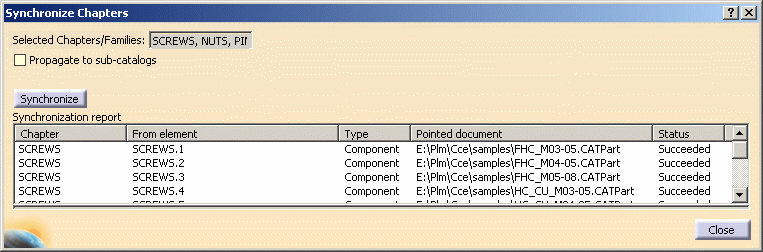
-
Select Edit > Links.
The Links of document dialog box appears.
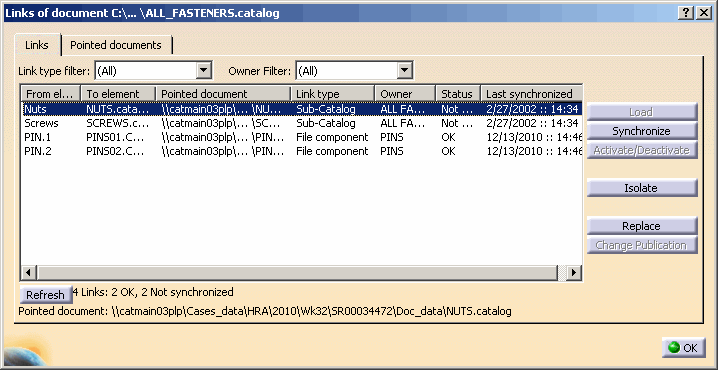
The results display the date and time of the last synchronization.
