 |
This task
shows how the button for resetting parameters to default values works with settings locked by one
administration level. |
 |
1. Start a session in administrator mode as
explained in Locking Settings. |
| |
2. Select the Tools > Options... command. |
| |
3. Select the Display category, then the
Visualization tab.
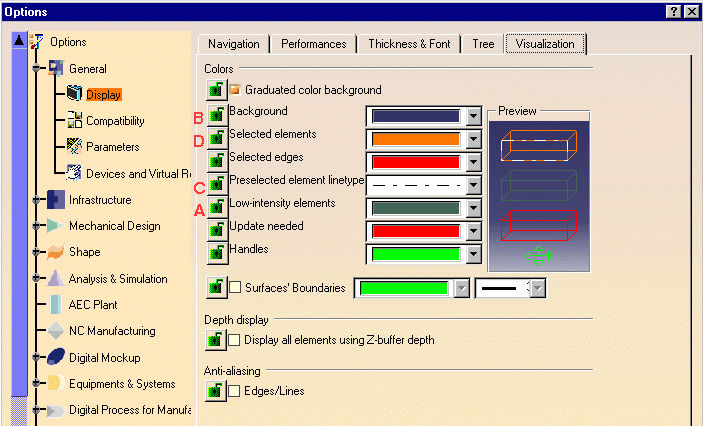
At the start, settings A, B, C and D (identified on the screen shots):
- are not locked
- and are set to the default values.
 |
| |
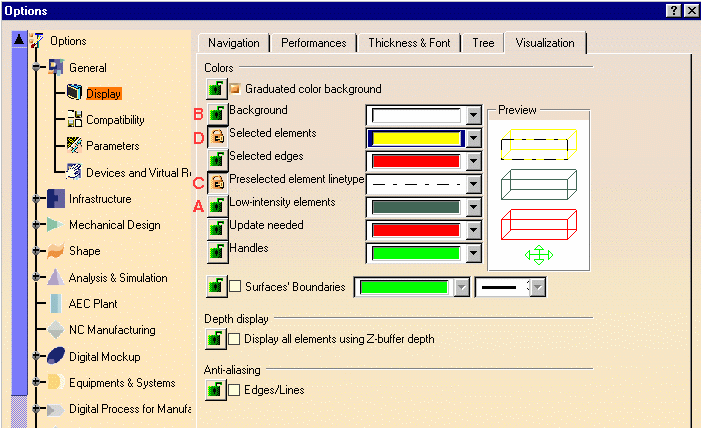
4. Reset and lock the settings as follows:
- A: no lock - keep the default value
- B: no lock - choose another color
- C: lock the setting - keep the default value
- D: lock the setting - choose another color.
 |
| |
5. Click the Cancel button.
The Cancel button is a handy tool for undoing your changes. Access the
Visualization tab again to confirm that your changes have been cancelled:
|
| |
6. Still in the Visualization tab, reset A, B, C
and D again as explained above:
|
| |
7. This time, click OK.
The new settings are applied. |
| |
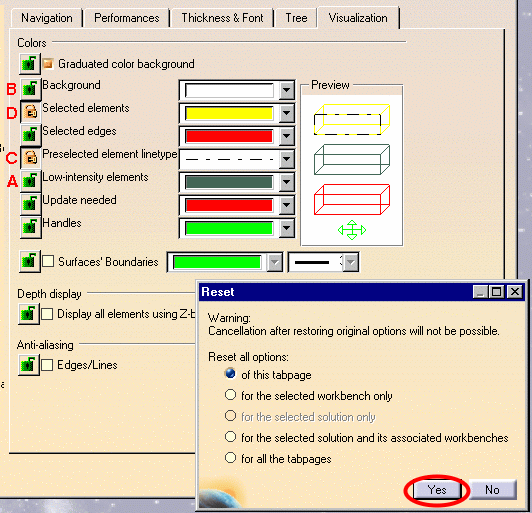
8. Access the Visualization tab again, click the
button for resetting parameter values, then the Yes button:
 |
| |
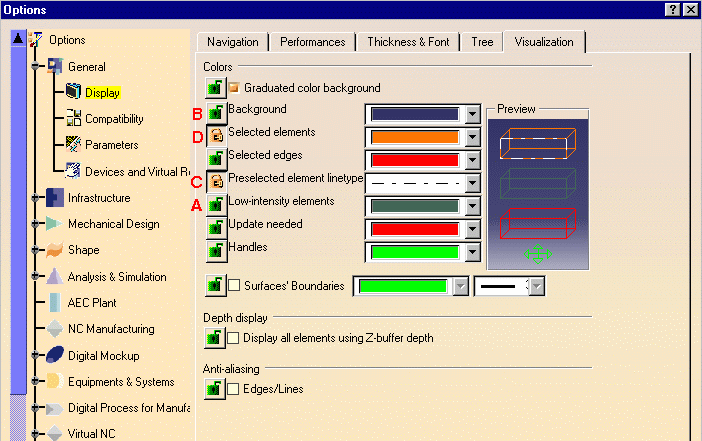
The locks on C and D are kept, but all the initial setting
values for A, B C and D are restored. |
|
 |