
This feature does not exist on UNIX.

CATIA
or run the program:
install_root\code\bin\CATSoftwareMgt.exe
where "install_root" is the name of your installation folder which is, by default:
     WindowsInstallPath\win_b64
		(64-bit code on Windows, x64 Edition)

     WindowsInstallPathx86\intel_a
		(32-bit code on Windows, x64 Edition)
The Dassault Systemes Software Management dialog box is displayed, and the General tab is open.
2. Click the System Information tab.
A tab like this is displayed:
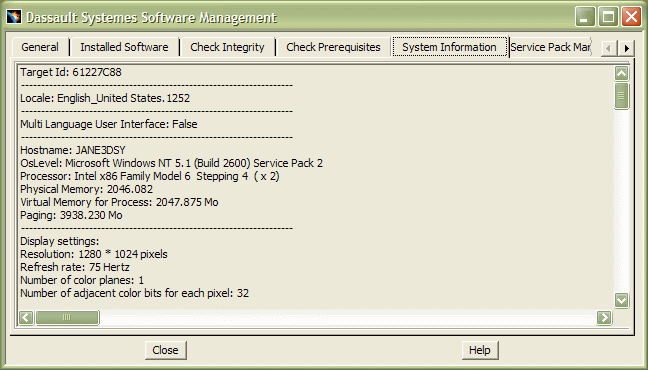
The tab provides the following information:
- machine target id
- locale
- hostname, processor, physical memory, paging space
- display and video settings
- operating system level
- network adapter name
- display settings
- video settings
- prerequisite Microsoft DLLs installed and the DLL version (including
the DirectX
ddraw.dllVersion 5.1.2600.0 required for server installations) - Version 5 environment variables
- system and user environment variables.
