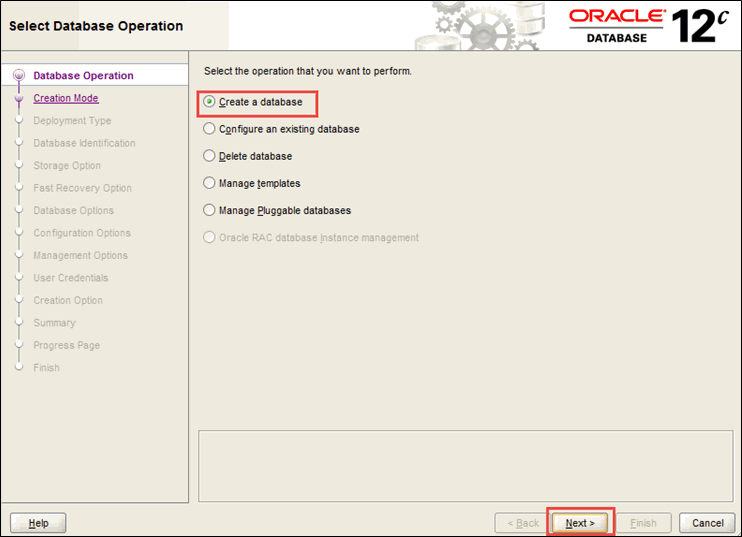
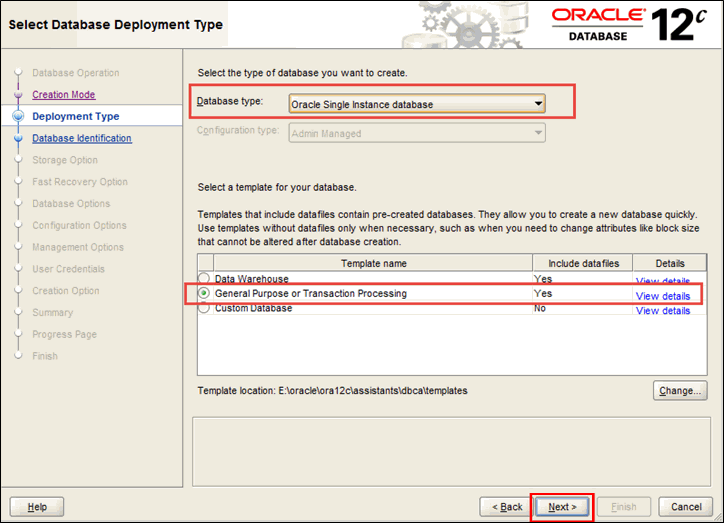
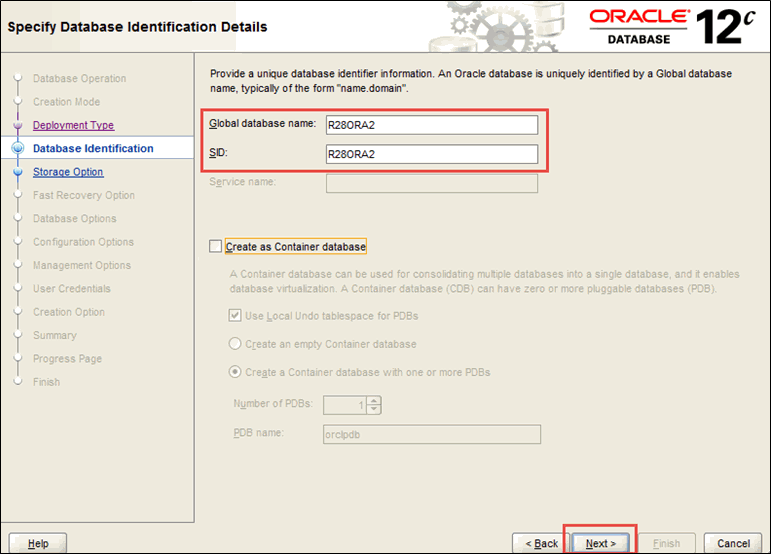
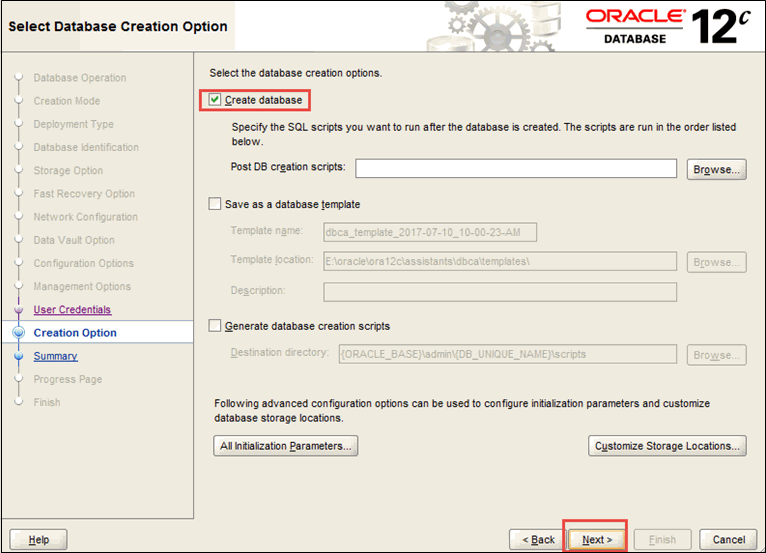
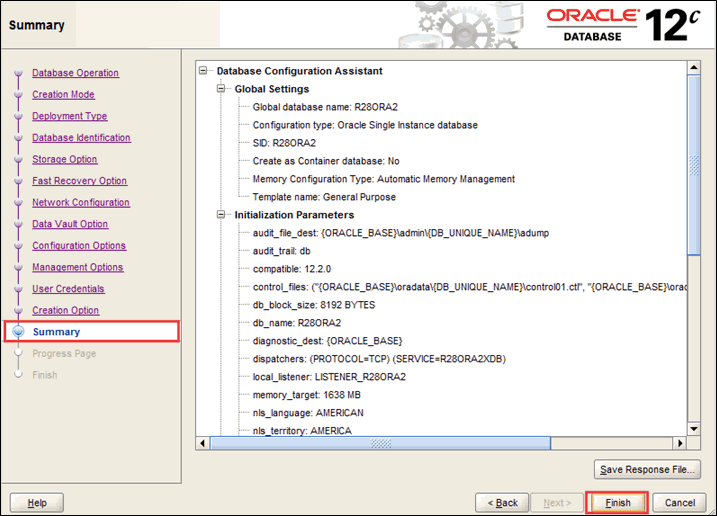
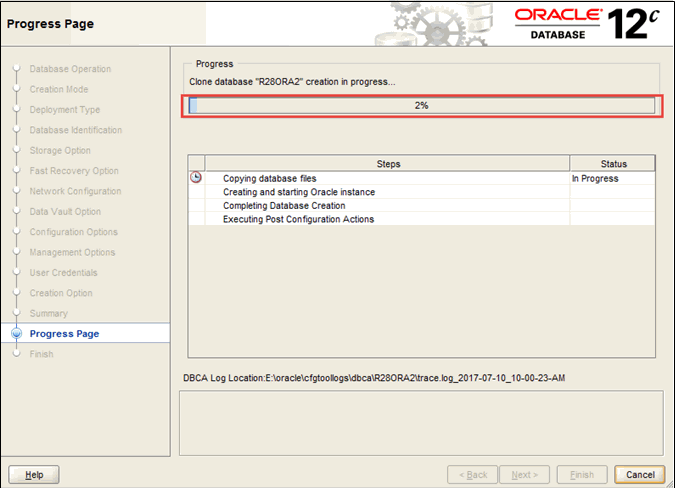
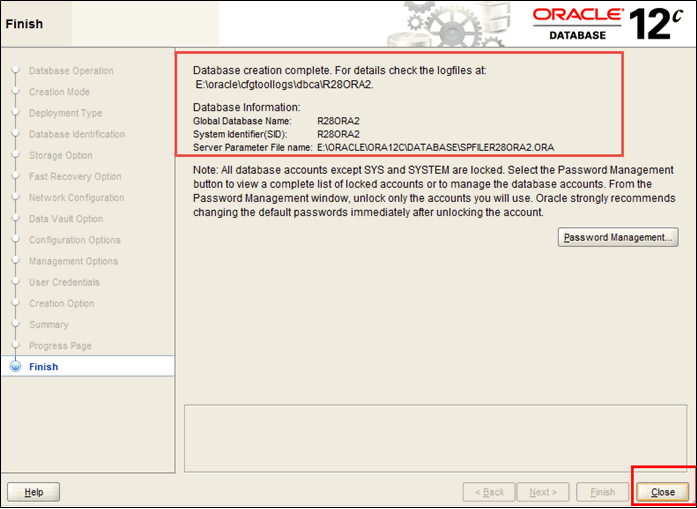
For DB2 and Oracle databases, you must have at least 150 Megabytes of free disk space to successfully install the ENOVIA V5 tablespaces and data files. Whatever additional disk space you will need depends on the size of your database.
Note: You must install Oracle 32-bit client in such a way that the installation of the ENOVIA V5 code communicates with 32-bit Oracle client and not directly with 64-bit Oracle, if you are using an Oracle 64-bit database server.

Setting Up a Database Using IBM DB2 Universal Database
Your computer needs to be a DB2 server.
To find out whether the DB2 software on your computer is configured as a client or a server:
- Select
Start > All Programs > IBM DB2 > Command Line Processor. - Run the command:
get dbm cfg - If a line like this appears at the top of the screen output:
Node type = Enterprise Server Edition with local and remote clients
your computer is already set up as a DB2 server. If not, install the DB2 server before proceeding.
Modifying the Stack Reserve Using the db2hdr Utility
Before proceeding, make sure the DB2 server is not running. To
check if it is already running, select Start > Control
Panel > Administrative Tools > Services and check that the following
DB2 services are up and running:
DB2 - DB2 - 0

     DB2 Governor

     DB2 - JDBC Applet Server
If the DB2 server is running, stop it, then make sure that there is no
db2sysc process running. Then, increase the default stack size for
the db2syscs.exe using the db2hdr utility as follows by,
for example, selecting Start > All Programs > IBM DB2 > Command Line
Tools > Command Window, then running the following command to modify
the stack reserve:
%DB2InstallationPath%\misc\db2hdr
     %DB2InstallationPath%\bin\db2syscs.exe /s:512
You must then restart the DB2 server and create at least one database before starting the installation.
To get help for db2hdr, run the utility without arguments:
%DB2InstallationPath%\misc\db2hdr
To check the current values of the db2 stacks, run the utility with one argument (full path for db2syscs.exe):
%DB2InstallationPath%\misc\db2hdr
     %DB2InstallationPath%\bin\db2syscs.exe
Once you have modified the stack reserve, start the above-mentioned DB2
services before proceeding. You can also configure the services to make
sure that they are always running. To do so, select a service then
right-click and choose "Properties" on the contextual menu, then set the
"Startup type" to "Automatic".

- Connect the machine using DB2 administrator user.
- Create a directory ENOVIAV5 at
<DB2_installation_directory>location.
- In the DOS window, go to the
<db2_installaiton_path>/BINfolder.
- Type
db2cmd.
A new DOS window opens withdb2environment set.
- In the new DOS window, run following commands:
# Add new database on server for PLMDBSetup stepdb2 create database ENOVIAV5
# Add new bufferpools for new tbsdb2 connect to ENOVIAV5
db2 create bufferpool BP8K size 3000 pagesize 8192db2 create bufferpool BP32K size 3000 pagesize 32768
# Add new tbs on previously created bufferpooldb2 create tablespace ENOTBS pagesize 8K managed by system USING ('<DB2_installation_directory>\ENOVIAV5\ENOTBS.dbf') bufferpool BP8Kdb2 create tablespace ENOTBS32 pagesize 32K managed by system USING ('<DB2_installation_directory>\ENOVIAV5\ENOTBS32.dbf') bufferpool BP32K
# Set up properly database parameters for new instance

		UPDATE db cfg FOR ENOVIAV5 USING APPLHEAPSZ 4096 STMTHEAP 12000 DBHEAP
		4200 LOGFILSIZ 16000 LOGSECOND 12 UTIL_HEAP_SZ 10000 CATALOGCACHE_SZ 96
		LOCKLIST 1000 APP_CTL_HEAP_SZ 512 STAT_HEAP_SZ 5022 NUM_IOCLEANERS 2
		MAXAPPLS 200 LOGPRIMARY 8
#These values are the minimum recommended values which will allow normal
		use of ENOVIAV5VPM at installation. For example, STMTHEAP is set to
		16000.
db2 terminate
About LOGFILSIZ Parameter
If you use the database configuration parameters documented above, during an ENOVIAV5VPM installation, the ENOVIA database will be set up correctly, and the default security mask will be imported. However, if you neglect to set the LOGFILESIZ parameter correctly, the default security mask import step may fail.
If a problem with the default mask is detected, the following error message:
Although commit succeeded, mask was not created - Check Database
     configuration
means that the mask was not created, but no error occurred during the commit phase. It may be because the database was not created using the LOGFILSIZ parameter. In this case, update the database configuration using the correct LOGFILSIZ parameter value and reimport the mask using the command VPMPeopleUpdate -m as explained in "People, Organization and Security Tools" in your Enterprise Architecture Administration Guide.
DB2 Performance Considerations
ENOVIAV5VPM has been developed to work optimally with DB2. However to take full advantage of the hardware available, a minimum amount of configuration may be necessary.
The most important considerations consist in allocating enough BUFFERPOOL space, and in updating the database statistics by running the db2 RUNSTATS command.
Note: each ENOVIAV5VPM installation may be unique due to a specific hardware configuration and system load (and there is no universal configuration that will be optimal). However, it is recommended to start with a simple configuration and tune it over time, using the input provided by the System Monitor tool.
Refer to the DB2 System Monitor Guide and Reference for information on monitoring the performance of a DB2 database.
- Bufferpool sizing
This parameter is often the single most important factor affecting performance. A bufferpool is a cache used for reading/writing database pages during SQL operations. In the ideal situation, the bufferpools will be large enough so that all the data read by ENOVIAV5VPM stays resident in memory, therefore eliminating most I/O. To determine if your bufferpool(s) is/are performing well, you can use the following monitor commands:
db2 update monitor switches using bufferpool on # ask DB2 to #
       monitor bufferpool activity

       ... run ENOVIAV5VPM for a while, under high load ...

       db2 get snapshot for bufferpools on VPMDB
If the ratio between the number of data and index LOGICAL reads, and the number of data and index PHYSICAL read is very large, then a bufferpool is performing well and is large enough.
A logical read is a request for reading a page, a physical read is reading this page from disk. Once all required pages have been read in the bufferpool, no more physical reads are required. You should allocate as much space as necessary or, if possible, to the bufferpool(s). You may want to allocate as much as half the available memory to the bufferpool(s).
To change the size of a bufferpool:
db2 connect to VPMDB

       db2 alter bufferpool IBMDEFAULTBP size 10000 # 40 Megabytes

       db2 alter bufferpool VPM_BP1 size 125000 # 1 Gygabyte (8K pages)
- Update the database statistics
ENOVIAV5VPM issues dynamic SQL to the DB2 server. This type of SQL is compiled at run-time by the DBMS. The DB2 SQL optimizer will choose what it considers to be the optimal Access Plan based on the statistics existing on the database. It is very important for these statistics to be updated after the database has grown, because an access plan that is optimal with a table that contains for example 100 rows, may become catastrophic from a performance point-of-view for a table that contains 100000 rows.
You should update the statistics every time the ENOVIAV5VPM data have been considerably modified, such as after importing data into the database.
db2 reorgchk update statistics on table all
- Other configuration parameters improving performance
The following parameters are recommended as they may contribute to improve the performance of an ENOVIAV5VPM installation:
Database registry
db2set DB2_HASH_JOIN=ON
db2stop;
db2start;
Note: to avoid errors occurring when saving parts, we recommend that you increase DB2 database APP_CTL_HEAP_SZ. The default is 128. Increase it to 256 to avoid the problem.