This page deals with the Tool Selection Assistant options for Resource Detailing robotics products.
Gun Search Options |
||||
|
|
||||
|
||||
Axis of Tool Approach |
||||
|
|
||||
 |
||||
Pie Diagram Size |
||||
|
|
||||
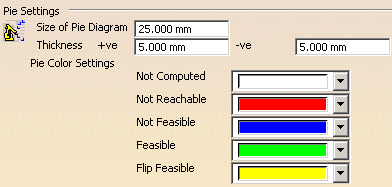
Size of Pie Diagram |
||||
|
The pie diagram is associated with the Results tab of the Analyze Target Orientation dialog that appears when you use the Analyze Welds for Robot command. The pie is associated with a weld and it shows the angles of the weld which fall into the following categories:
Size
of Pie diagram changes the size. The default values will be 5 mm. The thickness will be in the direction of axis of the tool rotation.
Reverse Pie Chart
Pie Color Settings
|
||||
|
|
||||
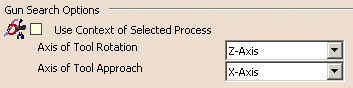
 By
default, the Use Context of Selected Process option is not
selected.
By
default, the Use Context of Selected Process option is not
selected.