This page deals with the Production System Settings options for Resource Detailing products.
Save Statistics |
|
|
|
Statistics are generated for each simulation run. At the start of a new
run, the statistics of the previous run are over-written by the new one.
In order store the statistics of a run, select Store statistics for
simulation run check box
before running the simulation. Otherwise, the run statistics of the
previous run are overwritten.
|
 |
Resource State Properties |
|
|
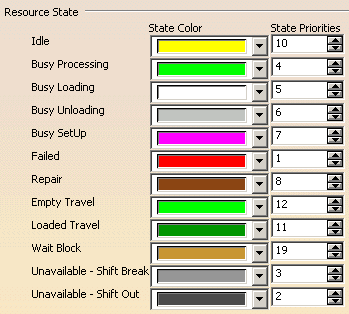
State ColorResource state color can be set using this color combo. State PrioritiesAt any instant a resource can be in different states but the statistics on the resource are collected on the basis of the priorities set for the various states. Priorities of states are relative.
|
|
|
Random Seeds |
|
|
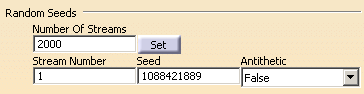
Number of StreamsNumber of streams can be set within this field; the default value is 2000. Set ButtonWhen you alter the entry in the Number of Streams field, and click the Set button, the Stream Number, Seed, and Antithetic options appear. Stream NumberThis option is used to select a particular stream. After selection, the Seed and Antithetic value is automatically set to that of the selected stream number. SeedThis option is used to change the value of the seed for the stream number selected in previous option. The value of the random seed can be any random positive integer AntitheticBy default, the value for Antithetic is set to False. If you set Antithetic to True, the inverse of the current stream is used. Using Antithetics for random numbers is useful in variance reduction.
|
|
|
Negative distribution sample mode |
|
|
|
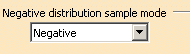
Select a Negative distribution sample mode. The options listed are Negative, Zero, or Resample.
|
|
|

 The
initial settings is that the check box is selected.
The
initial settings is that the check box is selected.