This page deals with the following settings:
Curve

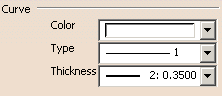
 By default, the color is set to white, the type to 1 and the thickness to
2.
By default, the color is set to white, the type to 1 and the thickness to
2.
Surface
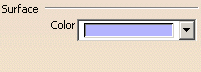
This option lets you define the color of surfaces.
By default, the color is set to light purple.
Base Mesh
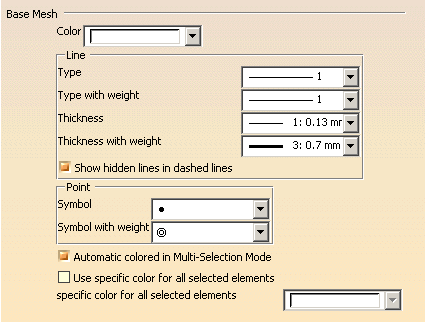
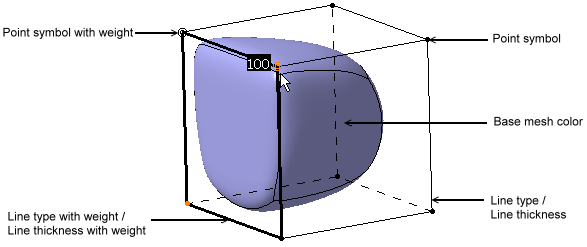
This option lets you define the graphic properties for base meshes.
By default, the mesh color is set to white; the line type to 1, the line
type with weight to 1, the line thickness to 1, the line type with weight
to 3; the point symbol to  and the point symbol with weight to
 .
.
Show hidden lines in dashed lines
By default, this option is selected.Automatic colored in Multi-Selection Mode
By default, this option is selected.Use Specific Color for all selected elements
|
By default, this option is not selected. |
Link
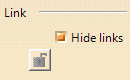
Hide links
Clear this check box to display the links created using
the Link
 command.
|
By default, this check box is not selected. |
Help Text
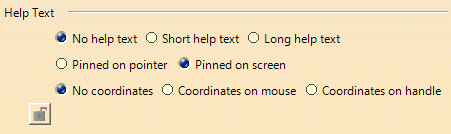
Select the required options:
| Options | Description |
| No help text | Displays no help.
By default, this option is selected. |
| Short help text | Displays a short help. |
| Long help text | Displays a long help. |
| Pinned on pointer | Defines the location of the help text on the pointer. |
| Pinned on screen | Defines the location of the help text on the
screen.
By default, this option is selected. |
| No coordinates | Displays no coordinates. |
| Coordinates on mouse | Displays coordinates on the pointer.
By default, this option is selected. |
| Coordinates on handle | Displays coordinates on the selected handle. |