Update Propagation to Children

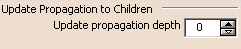
Use the up and down arrows to define the propagation depth level.
 By default, the depth level is set to 0.
Attenuation
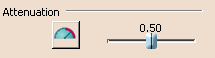
Click the Attenuation icon to allow attenuation or not:
 : No attenuation is
allowed
: No attenuation is
allowed : An attenuation coefficient
can be set using the slider. 0 is not allowed and 1 means no attenuation.
By default, it is set to No attenuation and the coefficient (providing the
attenuation is allowed) is set to 0.50.
: An attenuation coefficient
can be set using the slider. 0 is not allowed and 1 means no attenuation.
By default, it is set to No attenuation and the coefficient (providing the
attenuation is allowed) is set to 0.50.Automatic Weight on Vertices
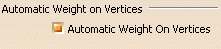 By default, this option is checked.
Primitive Creation Center Mode
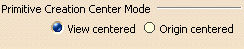 By default, this option is set to View Centered.
Warning Dialog Box

 .
By default, this option is selected.
.
By default, this option is selected.Quick Switch
This option lets you automatically return to the previous command when exiting the modification command, provided it has been launched from the active command (i.e. using the Space key or the Modification icon).
By default, this option is selected.