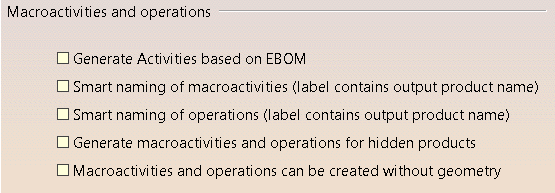
The Activities tab contains two categories of options:
These options are used when generating the activity list.
When design changes have occurred, you can update the activities using DPM Assembly Process Planner (the default) or, if the option is enabled, you can update the activities from the EBOM using the Update Activities and IPMs command. The changes taken into account are determined by what you select under Update Status.
If this option is selected, the macroactivity (process) label contains the name of the associated output product.
 By default, this check box is cleared.
If this option is selected, the operations or activity label contains the name of the associated output product.
By default, this check box is cleared.
If this option is selected, macroactivities and operations are generated for products in the No Show space. This option applies when building the activity list only.
By default, this check box is cleared.
If this option is selected, you can create macroactivities and operations without having to associate a product, plate or shape from the PPR product list. This option applies when manually creating macroactivities and operations only.
By default, this check box is cleared.
These options are used when building the activity list as well as when manually creating macroactivities and items.
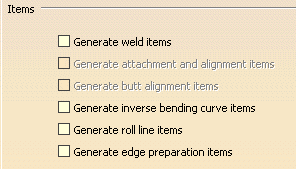
If this option is selected, weld items are automatically generated as appropriate under the joining activity.
By default, this check box is cleared.
If this option is selected, attachment and alignment line items are automatically generated as appropriate.
By default, this check box is cleared.
If this option is selected, butt alignment items are automatically generated as appropriate.
By default, this check box is cleared.
If this option is selected, inverse bending curve items are automatically generated as appropriate under the profile bending activity.
By default, this check box is cleared.
If this option is selected, roll line items are automatically generated as appropriate under the plate forming activity.
By default, this check box is cleared.
If this option is selected, edge preparation items are automatically generated as appropriate under the joining activity.
By default, this check box is cleared.
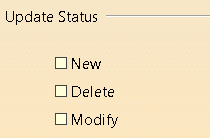
When you select Generate Activities based on the EBOM, the updates that are taken into account are determined by what is selected in this area. You can choose to have only what is new, what is deleted, what is modified or all the options.