If in a CATProduct document you can design parts from scratch or reshape them, you can also create associative links between several parts. These links can be geometrical and are then referred to as External references"or parametrical then referred to as External parameters in the specification tree. Assembly Design provides a large range of commands or options to manage those links.
These capabilities are:
- Keep link with selected object option lets you maintain
the links between external references,
copied elements for example, and their origins when you are editing these
elements. For more information, see
Customizing General Settings, External References.
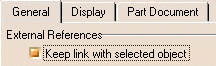
This option is recommended to be sure that your design will be correctly updated. In addition, using this method the product will be able to detect update cycle in your design: a part A designed from a part B, the part B designed from a part C, and the part C designed from the part A. - Isolate contextual commands: cuts the link between
external references and their origins.
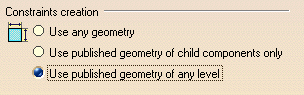
Management of both assembly constraints and design in context: it is possible to set constraints between published geometrical elements. See Constraint Creation in customizing assembly constraints.
- Edit Links, see Displaying Document Links and Editing Documents Links in Infrastructure User's Guide.
- Copy of external elements to update parts outside assembly context.
- Automatic synchronization during update operations, or manual synchronization.
- Activate/Deactivate link.
-
Publication: to reuse existing
designs and manage links. For more information, see
Customizing General Settings, External References.

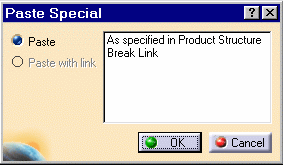
- Copy Break/Link/New From to quickly reuse a part.