
This macro shows you how to retrieve Weld information already set on SDD Plate Objects.
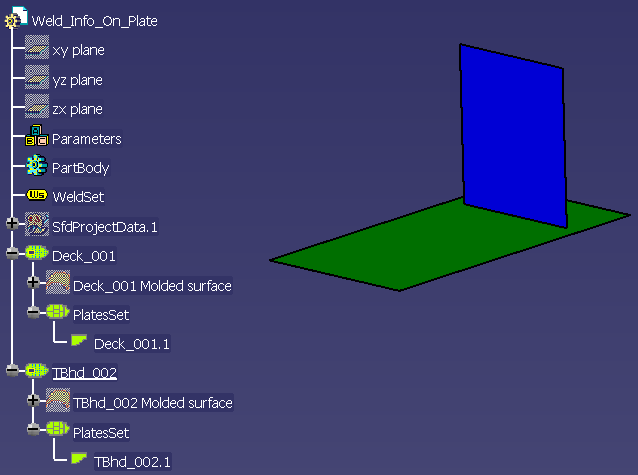

CAAStrWeldInfoOnPlate is launched in CATIA [1]. Some documents are needed.
- CAAStrWeldInfoOnPlate.CATScript is located in the CAAScdStrUseCases module. Execute macro (Windows only).
- The CAAStrWeldInfoOnPlate.CATPart containing the stiffener is located in the samples directory.

CAAStrWeldInfoOnPlate includes the following steps:
- Prolog
- Retrieving Factory Object from Part Document
- Getting the Manager from Factory
- Retrieving the Super Plates
- Retrieving Split Plates of Super Plates
- Retrieving Weld Features on the OperatedSplitPlate with Operating Element (Weld Use Case 1)
- Retrieving Weld Attributes of Weld Use Case 1 Features
- Retrieving Weld Features on the OperatedSplitPlate with No Operating Element (Weld Use Case 2)
- Retrieving Weld Attributes of Weld Use Case 2 Features
Prolog
Opens the CAAStrWeldInfoOnPlate.CATPart in CATIA.
Sub CATMain()

Dim ObjPart As Part
Set ObjPart = CATIA.ActiveDocument.Part
Retrieving Factory Object from Part Document
This step describes how to get Structure Feature Factory. The Factory object is retrieved by adding object to nibble to the selection list.
'Get the Factory Object
Dim FactoryObj As SfmFactory
Set FactoryObj = ObjPart.GetCustomerFactory("SfmFactory")
Getting the Manager from Factory
The Manager Object is obtained by GetManager.
'Get the Manager Object
Dim ManagerObj As SfmManager
Set ManagerObj = FactoryObj.GetManager
Retrieving the Super Plates
This step describes how to get the collection of Super Plates and how to get one specific element in it.
'Retrieving Super Plates
Dim SuperPlates As References
Set SuperPlates = ManagerObj.GetSuperPlates

'Retrieving Operating Super Plate
Dim SuperPlate1 As SfmSuperPlate
Set SuperPlate1 = SuperPlates.Item(1)

'Retrieving Operated Super Plate
Dim SuperPlate2 As SfmSuperPlate
Set SuperPlate2 = SuperPlates.Item(2)
Retrieving Split Plates of Super Plates
This step describes how to get the collection of Split Plates and how to get one specific element in it.
'Retrieving the SplitPlates of SuperPlate1
Dim OperatingSplitPlateRefs As References
Set OperatingSplitPlateRefs = SuperPlate1.SplitPlates

'Retrieving the SplitPlates of SuperPlate2
Dim OperatedSplitPlateRefs As SfmSplitPlates
Set OperatedSplitPlateRefs = SuperPlate2.SplitPlatesObjects

Dim OperatingSplitPlate As Reference
Set OperatingSplitPlate = OperatingSplitPlateRefs.Item(1)

Dim OperatedSplitPlate As SfmSplitPlate
Set OperatedSplitPlate = OperatedSplitPlateRefs.Item(1)
OperatedSplitPlate is the split plate on which weld features are created. Weld information resides on this plate.
OperatingSplitPlate is the split plate which is used as one of the limit of the OperatedSplitPlate.
Retrieving Weld Features on the OperatedSplitPlate with Operating Element (Weld Use Case 1)
This step describes how to get the collection of Weld features with operating element and how to get one specific element in it.
'Weld Use Case 1 features.
Dim ListWeldsUC1 As SfmWelds
Set ListWeldsUC1 = OperatedSplitPlate.GetWelds(OperatingSplitPlate)

Dim WeldUC1Feature As SfmWeld
Set WeldUC1Feature = ListWeldsUC1.Item(1)
Retrieving Weld Attributes of Weld Use Case 1 Features
This step describes how to get the weld information set on the Operated split plate.
ustrWeldTypeUC1 = WeldUC1Feature.WeldType
ustrAddedMaterialUC1 = WeldUC1Feature.AddedMaterial
ustrFitUpUC1 = WeldUC1Feature.FitUp
ustrEdgePrepUC1 = WeldUC1Feature.EdgePreparation
Retrieving Weld Features on the OperatedSplitPlate with No Operating Element (Weld Use Case 2)
This step describes how to get the collection of Weld features with operating element and how to get one specific element in it.
'Weld Use Case 2 features.
Dim ListWeldsUC2 As SfmWelds
Set ListWeldsUC2 = OperatedSplitPlate.GetWelds(Nothing)

Dim WeldUC2Feature As SfmWeld
Set WeldUC2Feature = ListWeldsUC2.Item(1)
Retrieving Weld Attributes of Weld Use Case 2 Features
This step describes how to get the weld information set on the Operated split plate with no operating element.
ustrWeldTypeUC2 = WeldUC2Feature.WeldType
ustrAddedMaterialUC2 = WeldUC2Feature.AddedMaterial
ustrFitUpUC2 = WeldUC2Feature.FitUp
ustrEdgePrepUC2 = WeldUC2Feature.EdgePreparation


End Sub
